

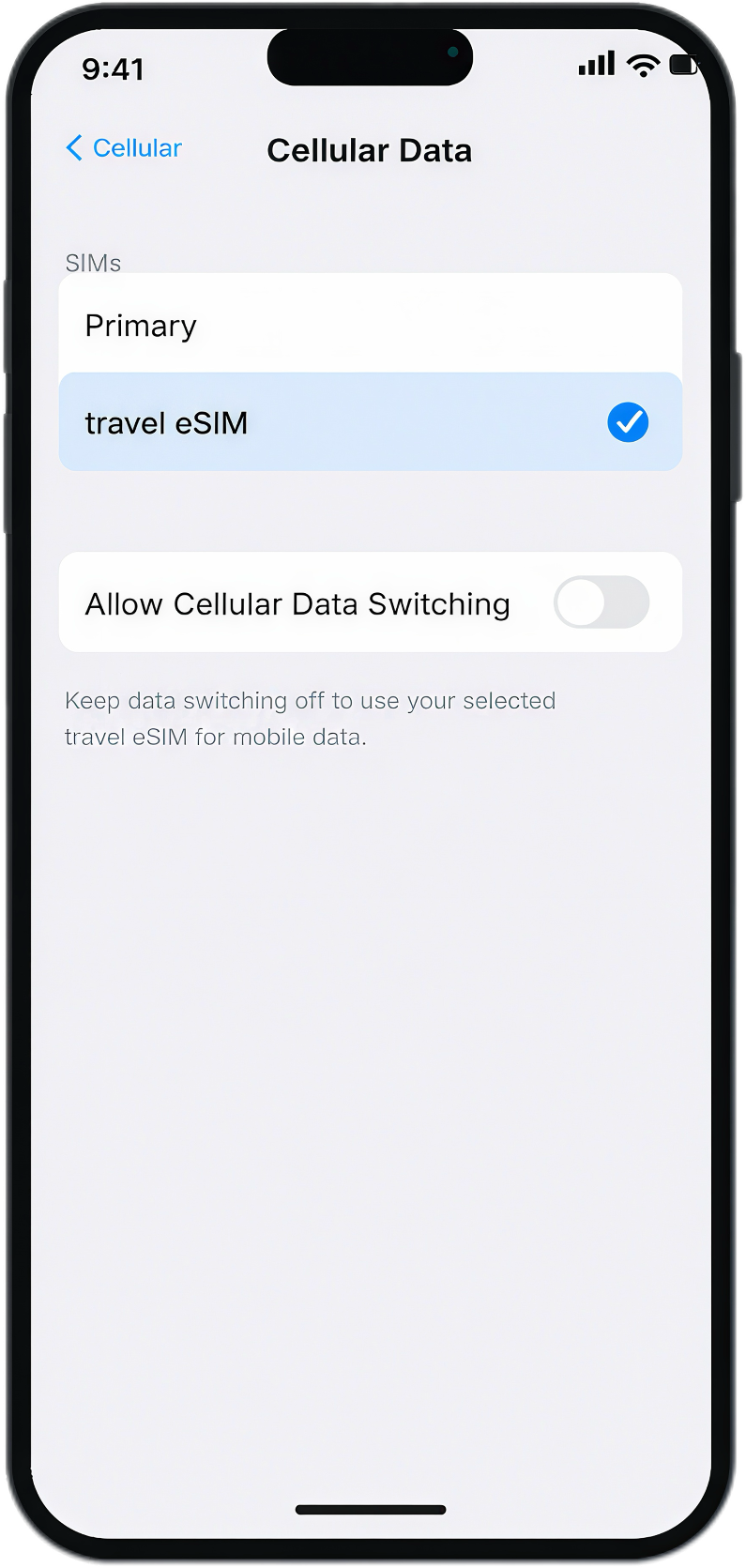
Choose your travel eSIM as the cellular data line.

From choosing a plan to getting online abroad, follow each step and stay connected in minutes.
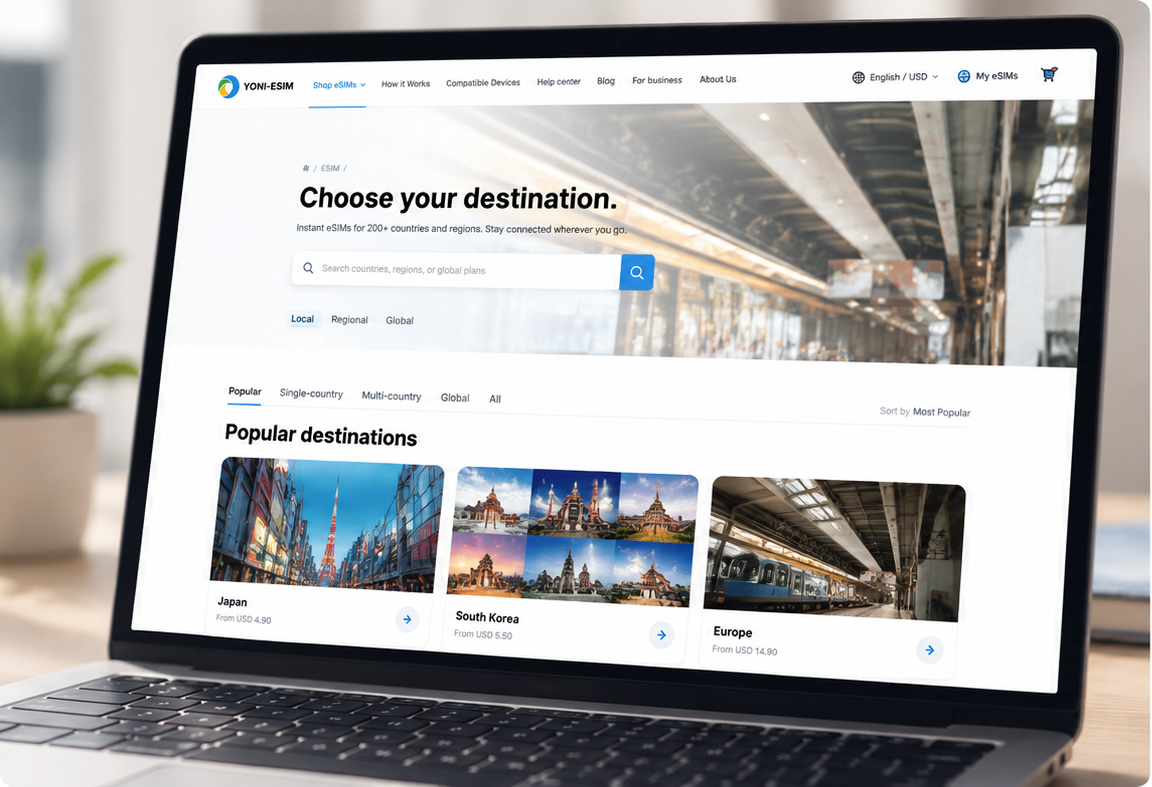
Select your travel destination, data size, and validity. Compare plans and find the best option for your trip.
Choose a single destination, regional, or global plan and check that it covers every stop on your trip.
Match the data size and number of days to your trip. Compare a nearby plan if you need more.
Confirm your phone supports eSIM, and see whether the plan starts at installation or at the first connection.
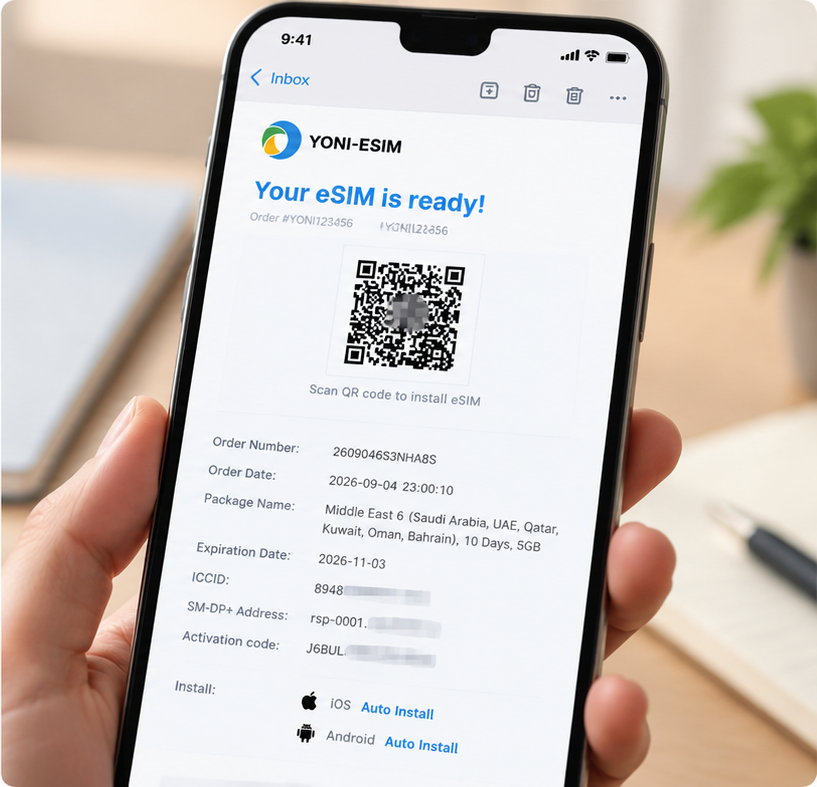
After successful payment, you’ll receive an email with your eSIM QR code and installation instructions. You can also find them in My eSIMs.
It is sent to the address used for the order. Open it on another device to scan.
If the order includes an SM-DP+ address and activation code, enter them when you cannot scan.
Use stable Wi-Fi, and check the activation rule first so the plan does not start early.
Choose your device type and follow the steps below.
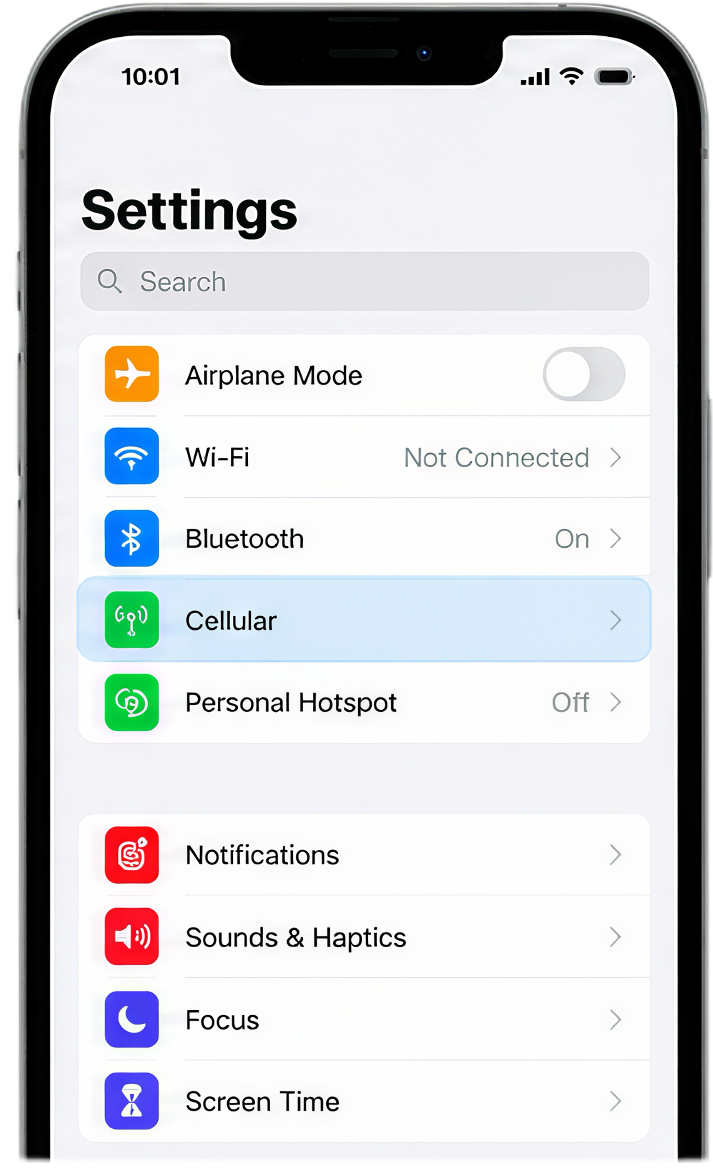
Open the Settings app and tap Cellular (or Mobile Data).
Connect to stable Wi-Fi before you begin.
Installation and plan activation may happen at different times. Check the activation policy in your order before installing.
Once you arrive at your destination, turn on the eSIM line and data roaming to access the internet.
Learn moreChoose your travel eSIM as the cellular data line.
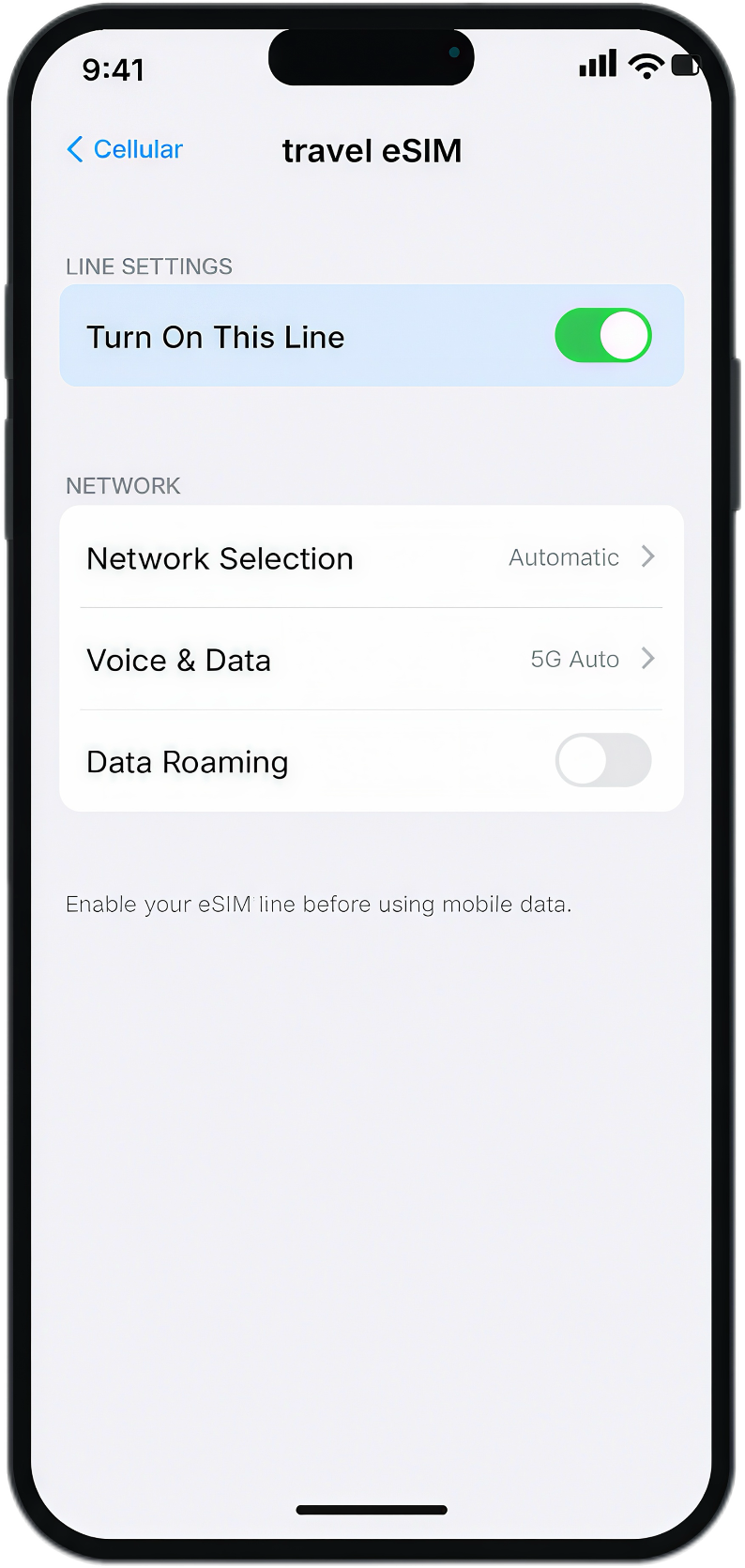
Make sure the travel eSIM line is enabled.
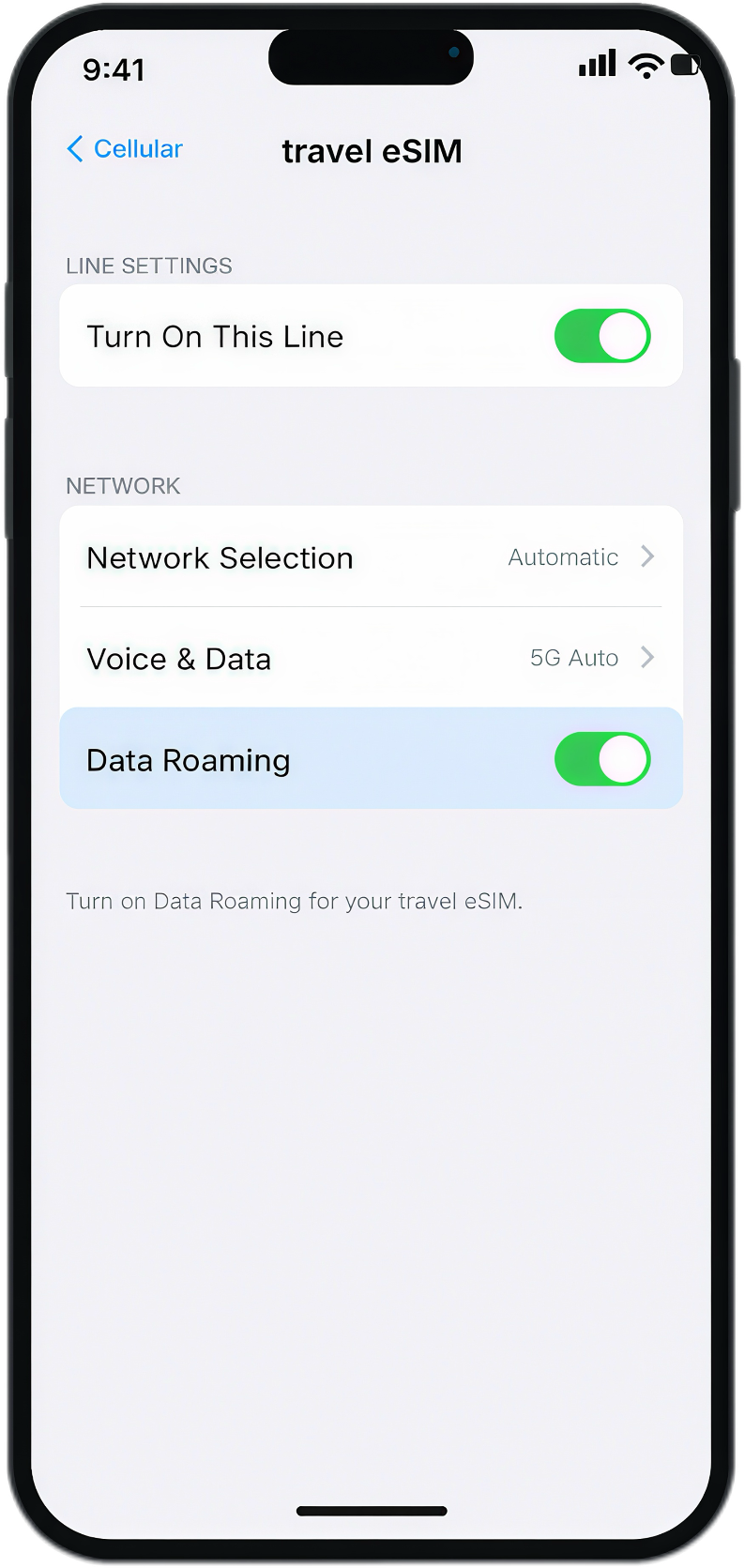
Turn on roaming if required by your plan.
Need help during setup? Use the guides or contact support with your order number and device model.