
Landing in a new country is a bad time to look for your eSIM instructions. A few checks before departure can help you get online when you need directions, a ride, or a message to your hotel.
1. Check your phone before you buy
Confirm that your exact phone model and regional version support eSIM. If you bought your phone through a carrier, check that it is unlocked and can use another provider’s eSIM.
- iPhone: Look for Add eSIM under Cellular or Mobile Data.
- Android: Check your SIM settings or the phone maker’s instructions. Menu names vary by model.
2. Match your plan to your itinerary
If your trip crosses borders, compare a regional plan with separate plans for each destination. Before buying, check:
- Coverage: Include any layover where you plan to use mobile data.
- Data and hotspot: Check the data allowance and whether you can share it if needed.
- Validity: Check how long the plan lasts and what starts the countdown.
3. Keep your installation instructions handy
Save your order number and setup instructions offline. If setup uses a QR code, keep it private and have a second screen available if you need one to scan it. Use a stable Wi-Fi connection to install the eSIM.
Before you install: Check your plan’s instructions for when to install or activate the eSIM, so you can make full use of the validity period.
4. Test mobile data after landing
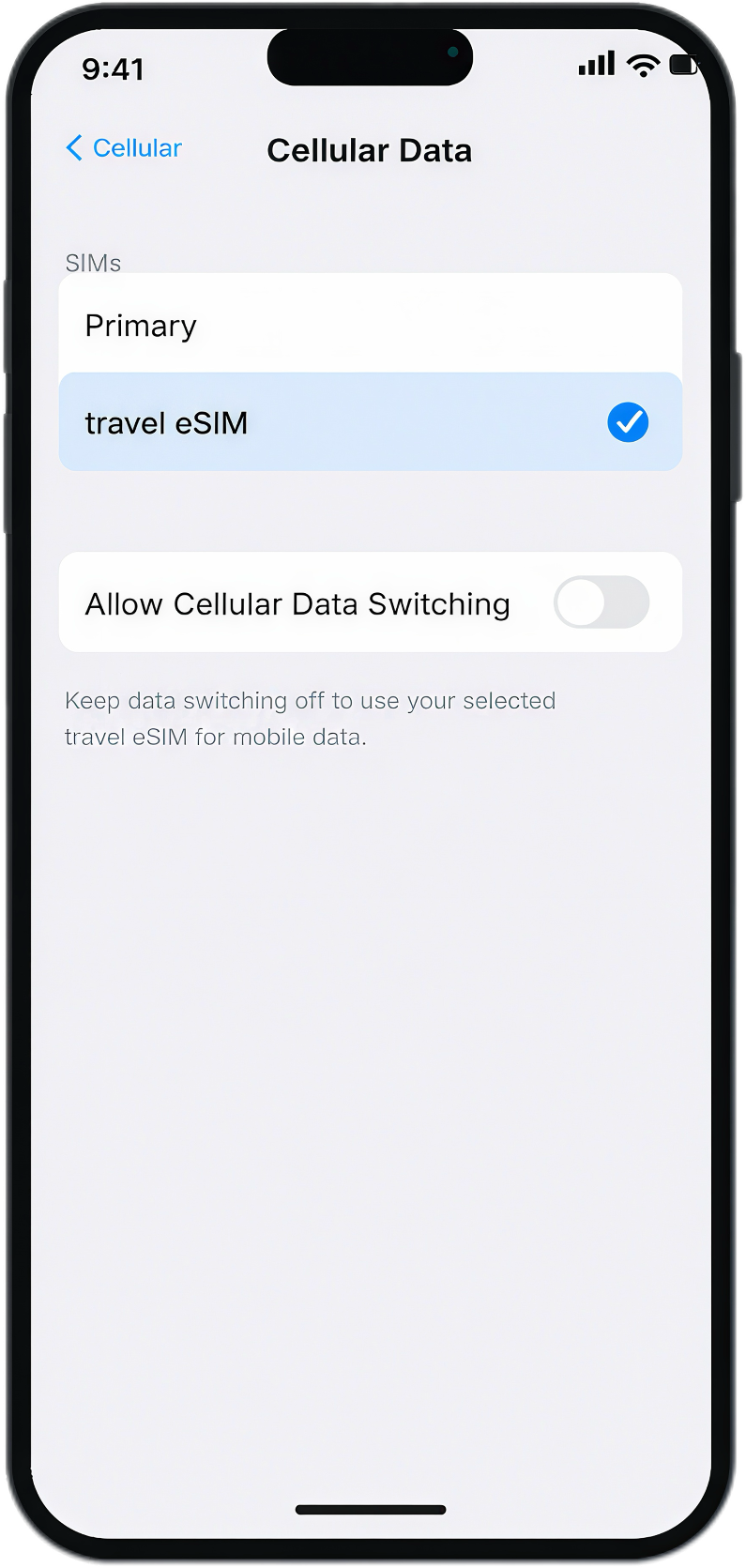
- Select the travel line. Turn on the travel eSIM and choose it for mobile data.
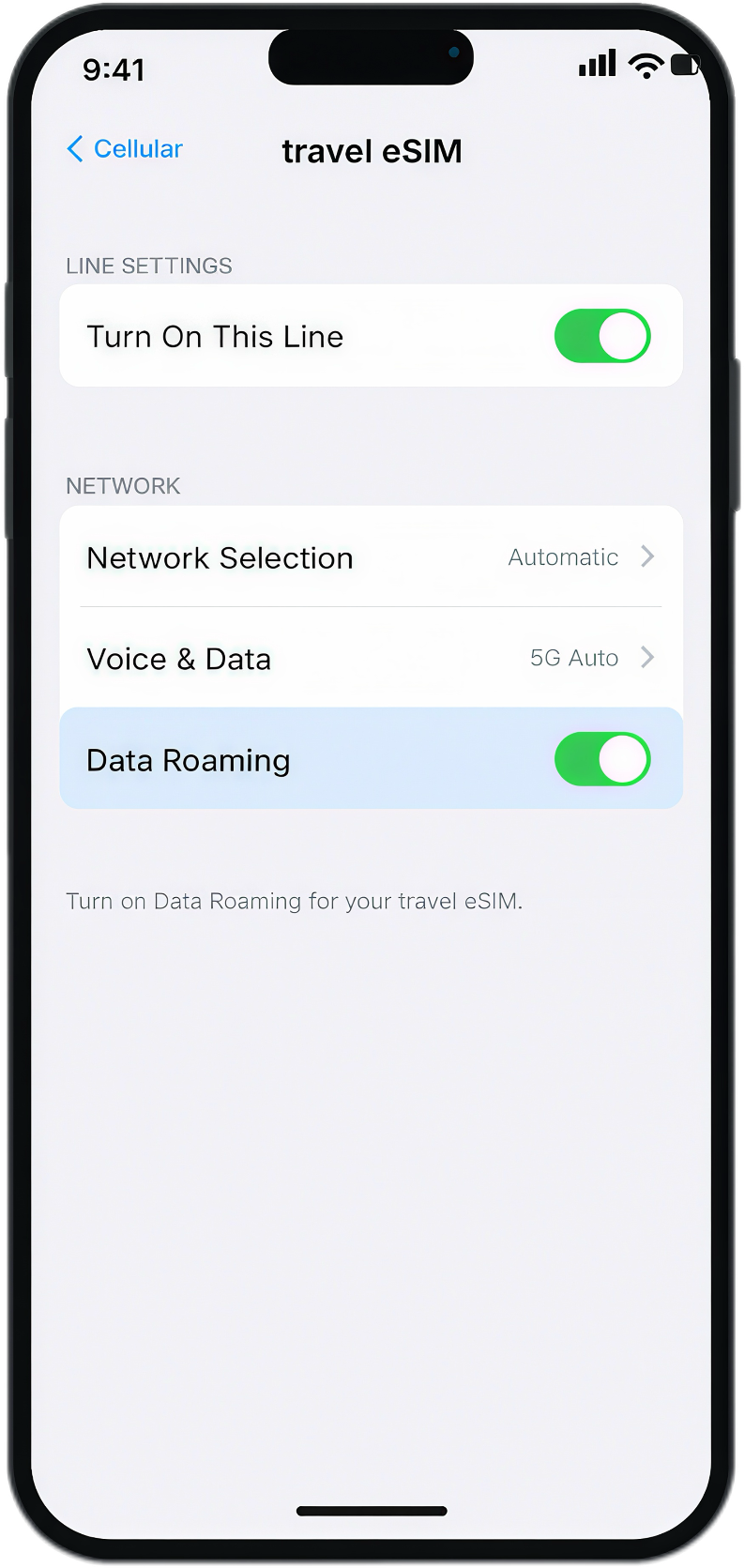
- Check roaming. Turn on data roaming for the travel line if the plan requires it. If you keep your home line on for messages, check its roaming terms and turn off automatic data switching if available.
- Test without Wi-Fi. Turn Wi-Fi off briefly and load a map or webpage to confirm the travel line is carrying your data.
iPhone example: Select YONI eSIM for cellular data and enable data roaming on that line if your plan requires it.
5. If you still can’t get online
Recheck coverage, line status and mobile data selection. Try toggling airplane mode and check any APN settings specified in your plan instructions. If you still need help, send support your order number, phone model, destination and a screenshot of the error.
Keep the eSIM installed unless support tells you to remove it.